Self-hosted fleet management

Manage every server.
No cloud required.

Cenvero Fleet connects to your Linux servers over SSH, auto-installs agents, and gives you shell access, service control, logs, live metrics, secure file transfers, live directory sync, and AI-agent control — all from one binary.

Homebrew recommended
brew tap cenvero/fleet && brew install cenvero-fleet
or one-liner: curl -fsSL https://fleet.cenvero.org/install | sh

# After install, upgrade anytime with brew upgrade cenvero-fleet

One-liner
curl -fsSL https://fleet.cenvero.org/install | sh

# Also available via Homebrew — brew tap cenvero/fleet && brew install cenvero-fleet

PowerShell
irm https://fleet.cenvero.org/install.ps1 | iex

# Run from an elevated PowerShell prompt. Installs to %ProgramFiles%\fleet and adds it to PATH.


Major release · v2

What's new in v2

v2 turns Fleet into a file-moving, AI-driven control plane — all over the same authenticated SSH channel you already use.

Secure file manager

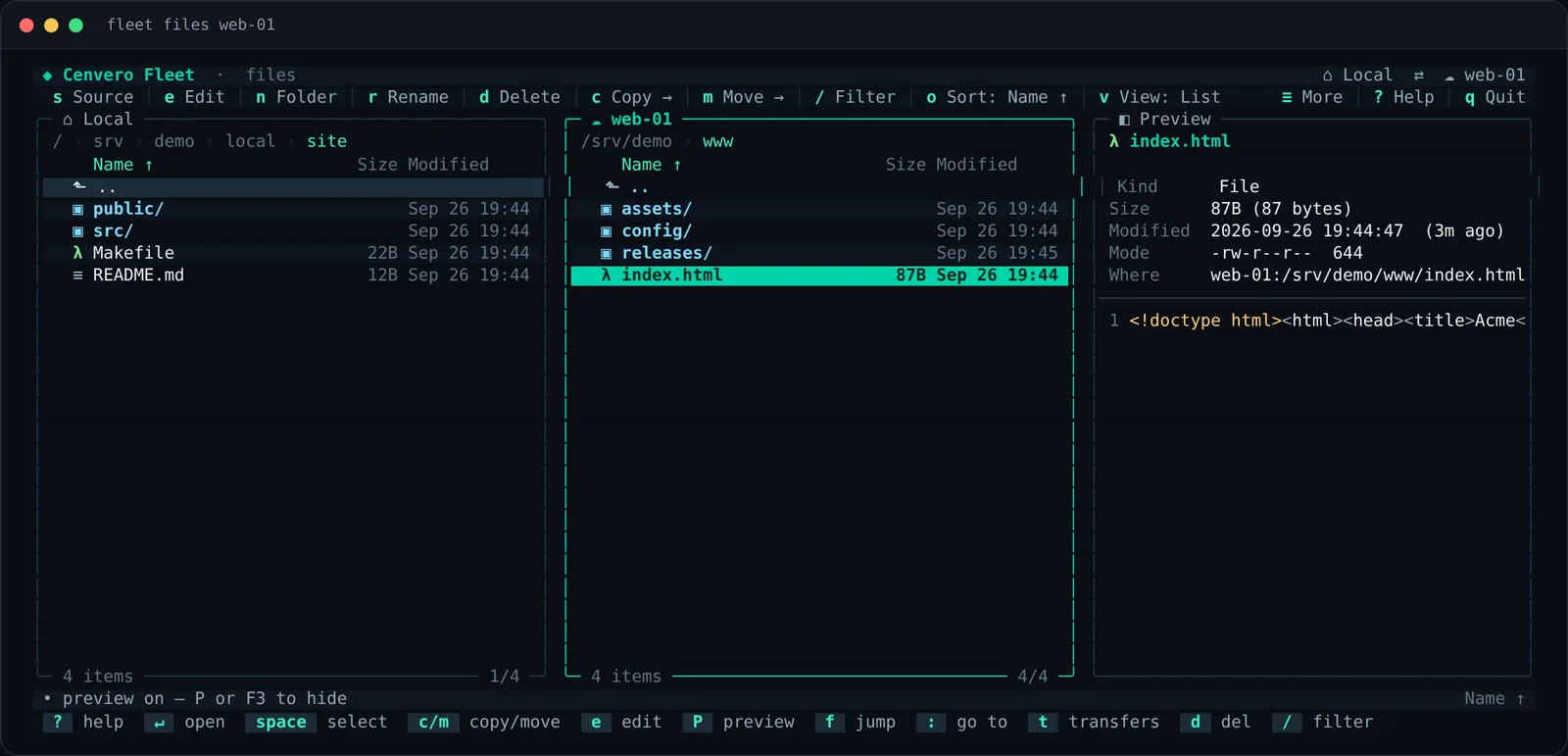
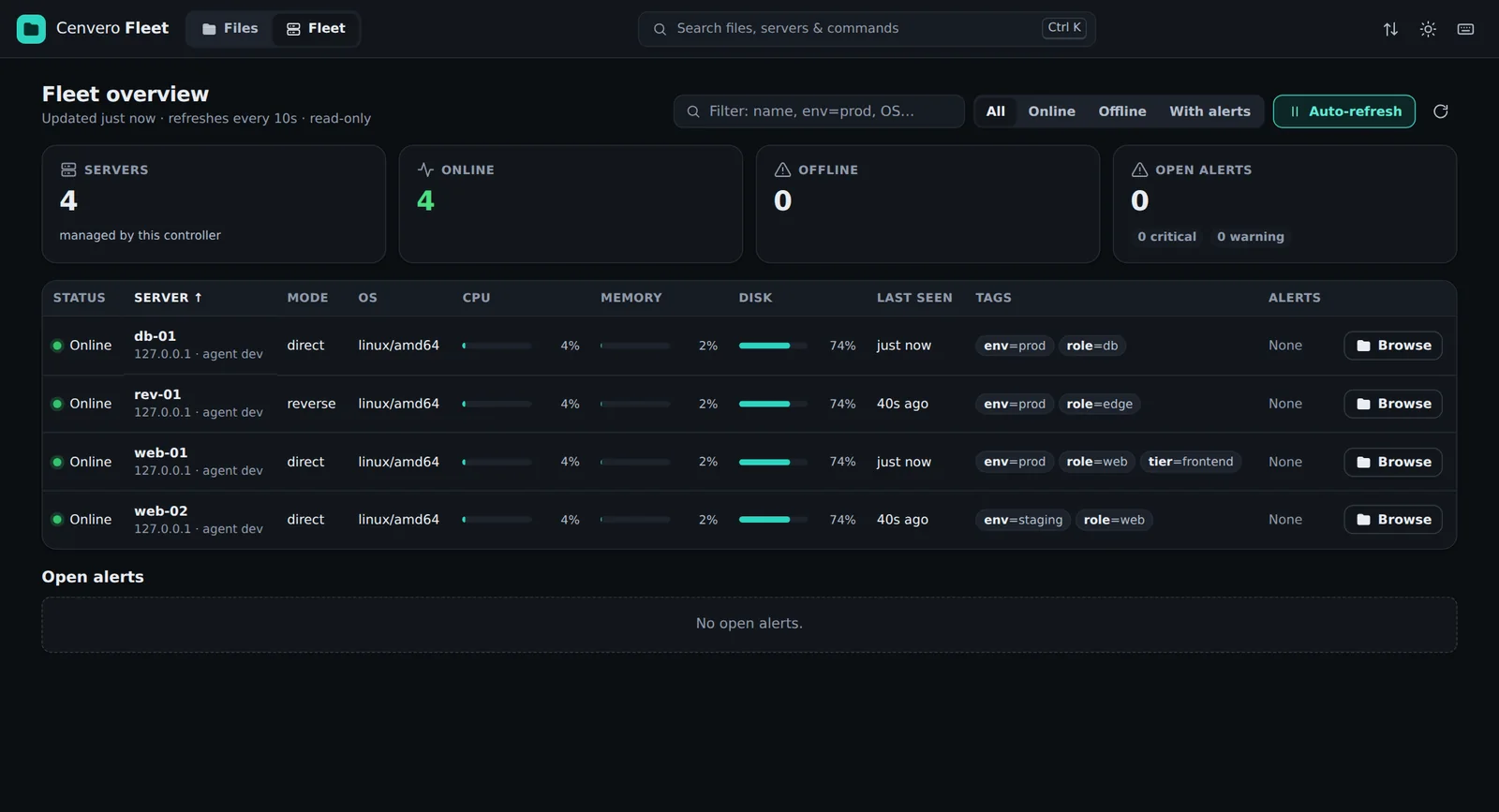
Move files with fleet file, a dual-pane terminal manager (fleet files), or a localhost web UI (fleet file ui). Chunked, parallel, checksummed, and resumable.

Live directory sync

Pick a local folder and a server folder with fleet sync. Fleet pushes it once, then keeps it mirrored as you edit — live, until you stop the command.

Agentic control

Run fleet skill claude and your AI coding agent learns the whole CLI from fleet context — then it can control any server and guide you, with your keys.


AI

Let an AI agent run your fleet

Fleet is built to be driven by Claude Code or Codex, not just humans. One command installs a tiny skill; the agent learns the rest from the binary and operates your servers — with your keys, on your machine, over SSH. No hosted control plane.

fleet skill claude  # then your agent runs `fleet context` and takes it from there

Self-describing by design: fleet context and fleet ai <command> generate full, machine-readable help straight from the command tree — always in sync with the installed version, nothing to maintain by hand.

Why Fleet is the best agentic SSH tool →

What it does

Everything you need to run a fleet

No agents to pre-install, no cloud accounts, no dashboards to subscribe to. Just a binary and SSH.

Agent Auto-install

Add a server and fleet SSHes in, downloads the right agent binary, and sets up a systemd service automatically.

Two transport modes

Direct mode for reachable servers, reverse mode for servers behind NAT or firewalls. Mix both in one fleet.

Shell & exec

Open a root shell with fleet ssh or run commands across all servers concurrently with fleet exec --all.

Service control

Track, start, stop, and restart systemd services. Stream and cache logs for any tracked service.

Firewall management

Manage UFW rules and open or close ports on any server directly from the controller.

Terminal dashboard

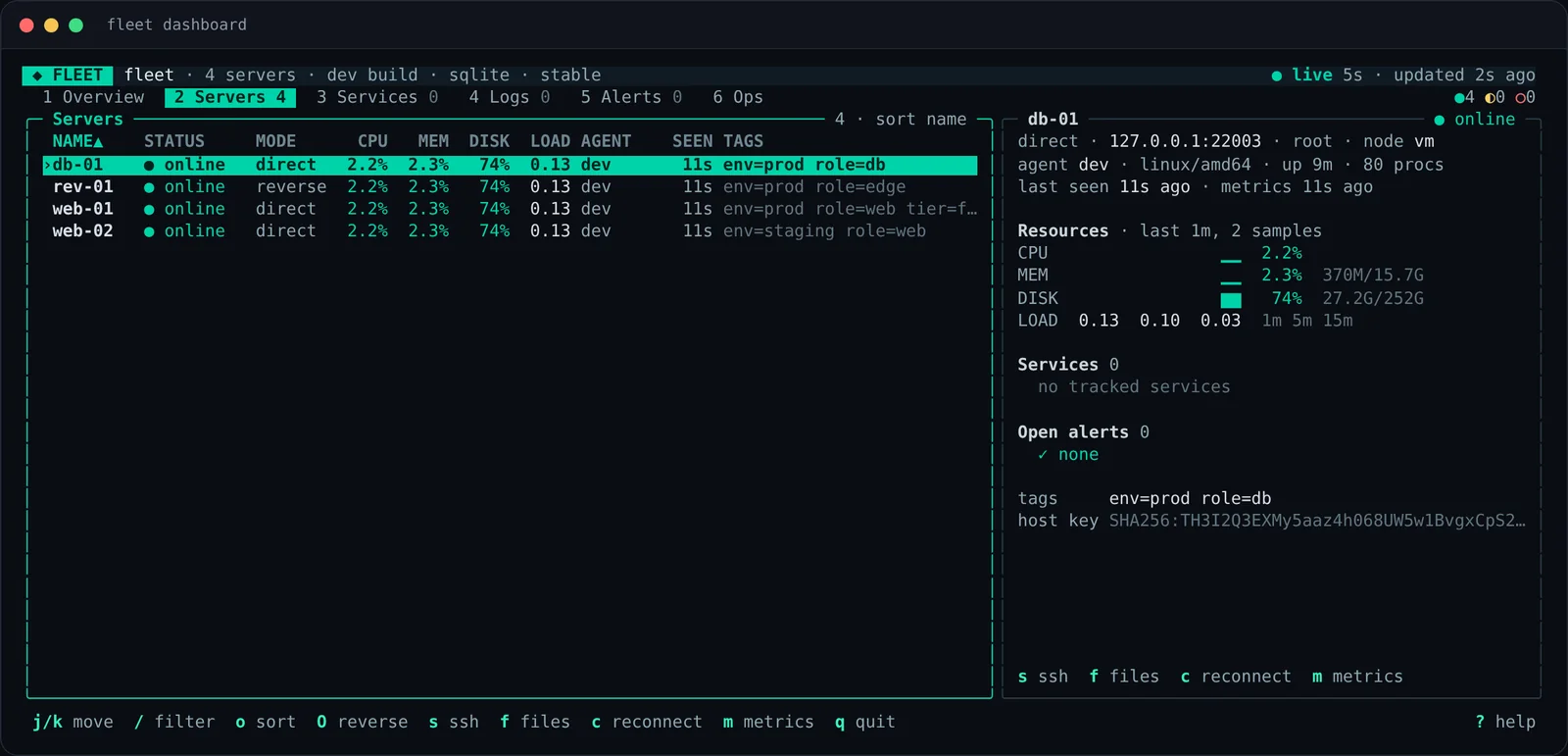
A full TUI with server health, metrics, services, logs, and alerts — all in one terminal window.

Alerts

Metric threshold alerts with acknowledge and suppress actions. No external alerting system needed.

Signed releases

Every release is signed with minisign. The installer verifies the signature before touching your binary.

Self-updating

One command updates the controller and rolls out the same version to every managed agent automatically.


Quick start

Up and running in minutes

# 1. Install (macOS — recommended)
brew tap cenvero/fleet
brew install cenvero-fleet

# Linux / macOS — one-liner
curl -fsSL https://fleet.cenvero.org/install | sh
# 2. Initialize the controller
fleet init
# 3. Add a server (interactive)
fleet server add

# or non-interactive
fleet server add web-01 192.0.2.10 \
  --login-user root
# 4. Use it
fleet ssh web-01
fleet exec web-01 "uptime"
fleet dashboard